Continuous Security Testing for CI/CD

Continuous testing that keeps up with your application

Your team ships every day. A test from six months ago covers a product that no longer exists.

Sybil tests on every pull request, or on a cadence you set, validating and exploiting real vulnerabilities.

No manual kickoff. No waiting for the next pentest.

See continuous testing coverage across every application.
Trusted by security & engineering teams — including at Carta
Notion logoCursor logoThinking Machines logoCarta logoBaseten logo
What is continuous testing?
vs. Continuous scanning
A scanner re-runs signature checks on a loop and flags potential issues. It is rife with false positives. Continuous security testing reasons about what changed and proves exploitability.
vs. Continuous monitoring
Monitoring watches and alerts; it doesn't prove a vulnerability is exploitable. Continuous security testing validates by exploiting, so there's nothing left to triage.
vs. "Continuous" human services
A retainer with human testers still gates on researcher availability. Only an autonomous system can hold an arbitrary recurring cadence or test on every change without that cost scaling with you.
vs. Bug bounty
TEXT HERE
Why Your Current Testing Falls Short
Security testing wasn't built for the speed software ships today. Tests take time to start, coverage gets stale, and every new test or retest requires someone to kick off the process again.
Testing is outdated as soon as you ship
A penetration test captures one version of your application at one point in time. Every change shipped after it creates new surface area that test never covered.
It takes too long to get started
A customer asks for a pentest. A compliance deadline is coming. You need testing now, but a manual pentest can take days or weeks to even kick off.
Every retest starts another manual process
Someone initiates the test. Engineers fix the vulnerabilities. Then someone has to initiate another test to validate the fixes.
More findings doesn't mean more clarity
Security tools can surface more potential vulnerabilities than your team can reasonably investigate. Without validation, you're left figuring out what's actually exploitable and what to fix first.
Two ways to continuously test with Sybil
Sybil connects to GitHub or GitLab, and you choose how testing gets triggered:
On every change.
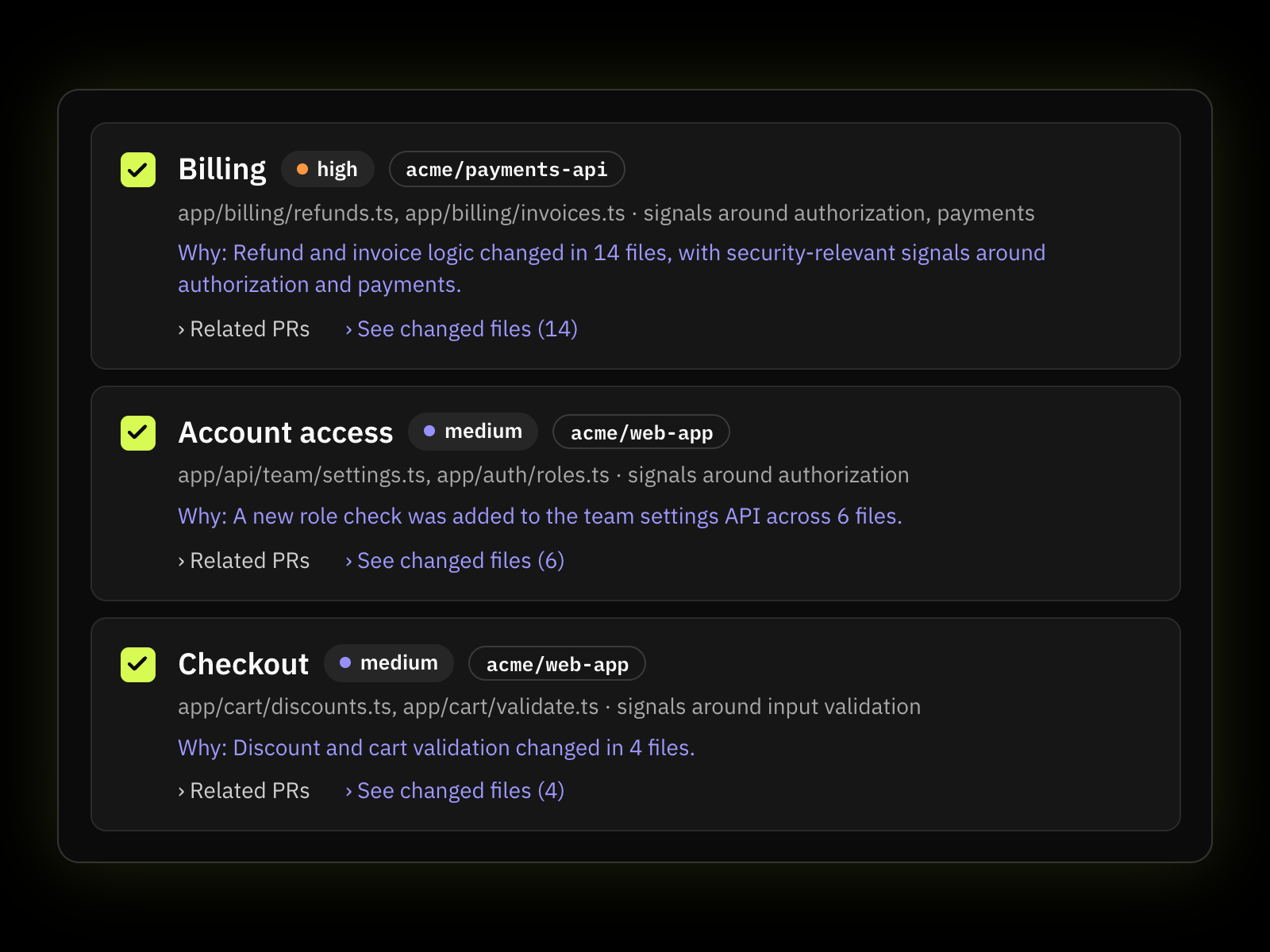
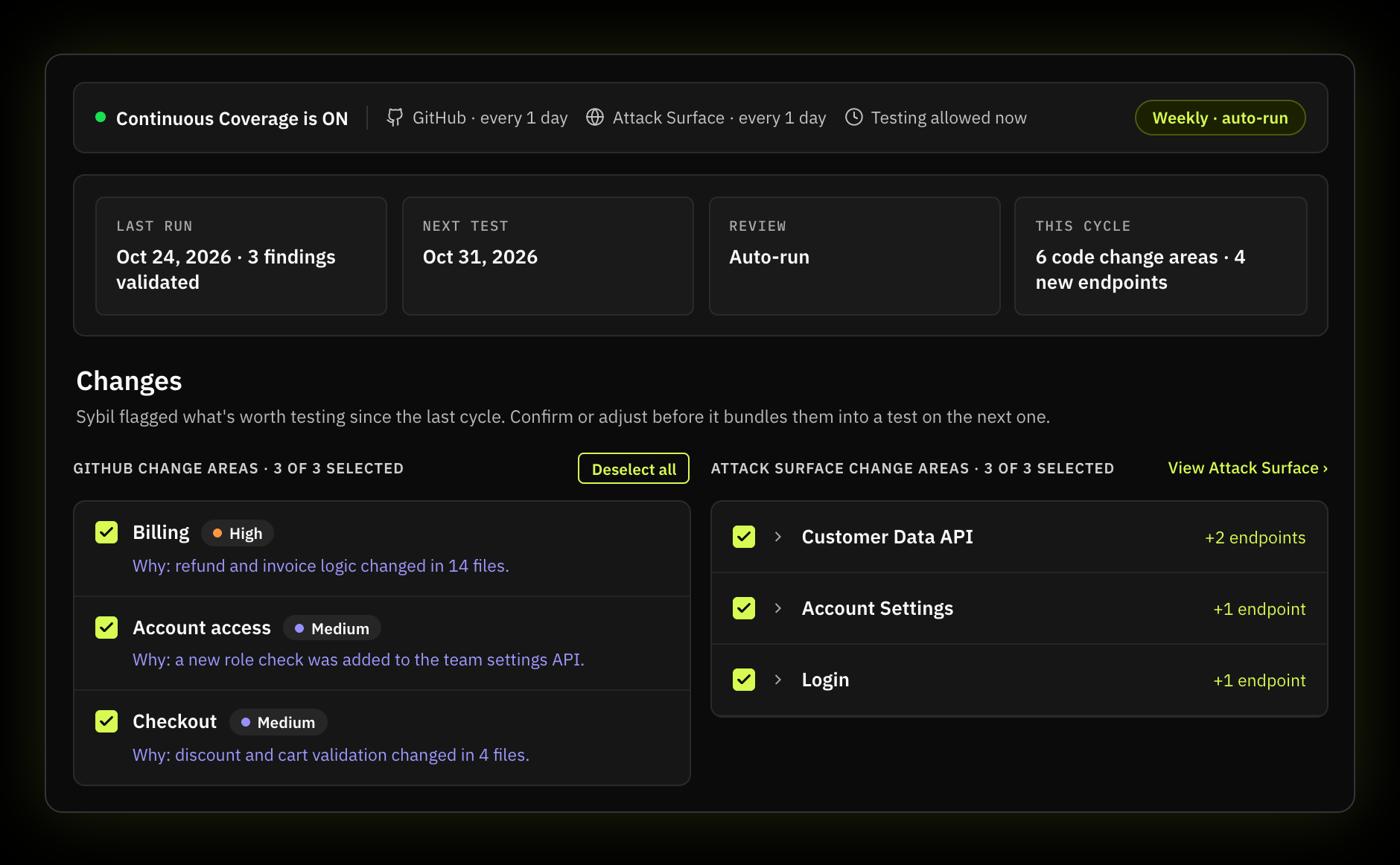
Sybil tests on every pull request or push, reading the diff and testing exactly what changed, informed by everything it already knows about your app.

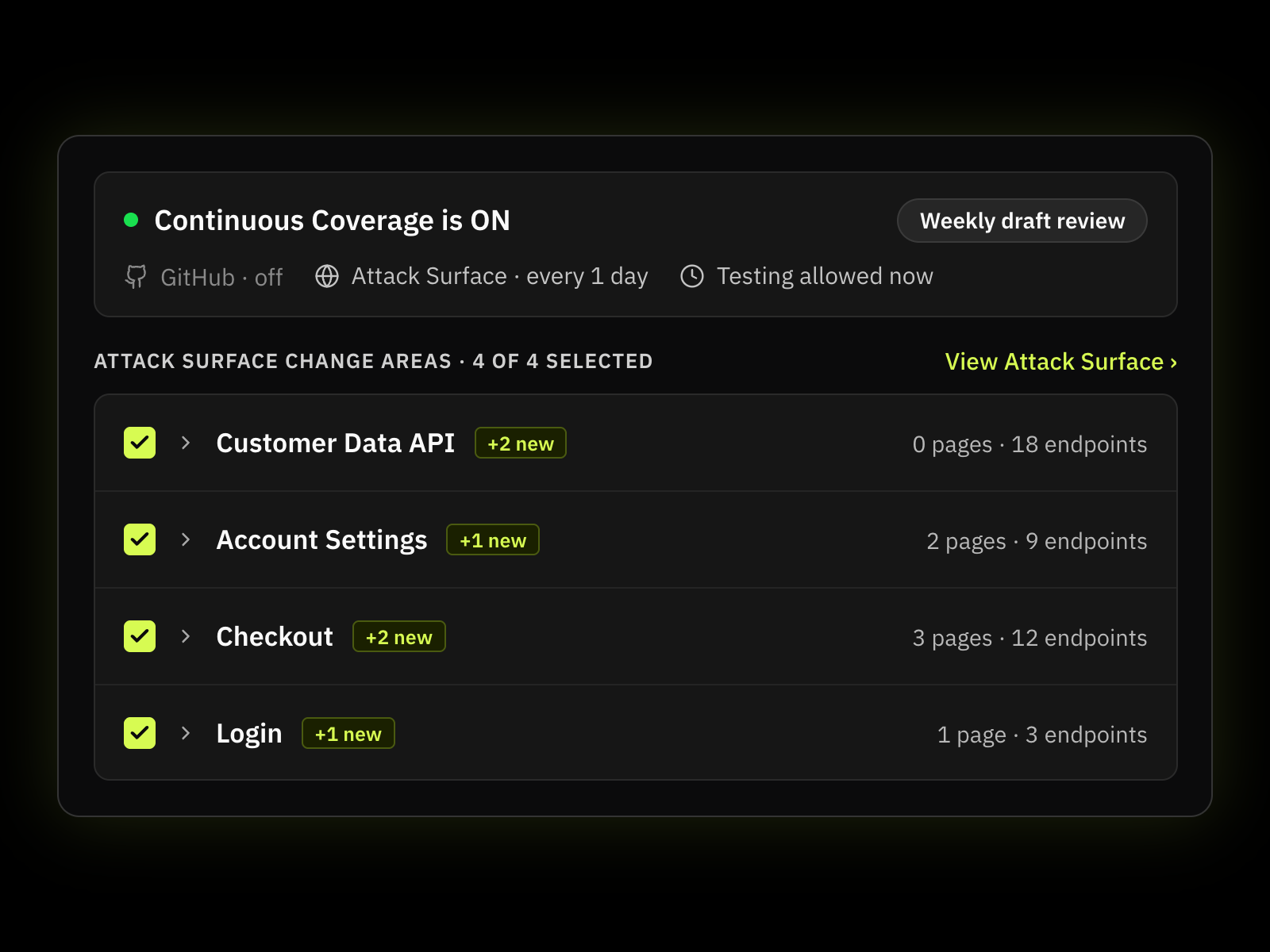
Additionally, Sybil can test against changes it detects on the attack surface, so that even without code access, an evolving application is tested accordingly
On a schedule you set.
Sybil runs on a recurring cadence you define, independent of whether an engagement is black-box or white-box, so testing keeps happening even between code changes or when you need a full test for compliance or customers.
Either way, findings show up where your engineers already work:
Apply fixes through AI coding assistants
Get a confirmed retest same-day, in under an hour, no scheduling required
Run Sybil within Linear, Github, or Jira to automatically push, update, and track security findings as tickets in your existing workflow.
A human tester can't match either mode at scale: they are not running new tests on every merge, and can't hold an arbitrary recurring cadence without it costing more every time you add one. Automating both is what makes continuous coverage possible.
Continuous Security Testing with RunSybil
Continuous testing only works if you know whether it's actually happening. With each test, Sybils learns more about your application, referencing previous runs and information from your knowledge base to provide agents richer testing context.

RunSybil gives you a portfolio-level view of testing activity:
Completed tests from the last 90 days
Gaps in expected testing coverage
Recurring testing activity across your portfolio
Output stays audit-ready: CVSS 3.1 scores, CWE IDs, and SOC 2 Type II / ISO 27001-ready formatting
Cursor logo

Cursor uses Sybil's self-serve retest to confirm fixes without coordinating with a consultant.

Sybil delivered a full pentest within two weeks of first contact — fast enough to unblock an active enterprise sale. Sybil traced complex, multi-step exploit chains across Cursor's cloud and application surface, and Cursor's own team retested fixes on their own schedule, no waiting required.

Every run has a history
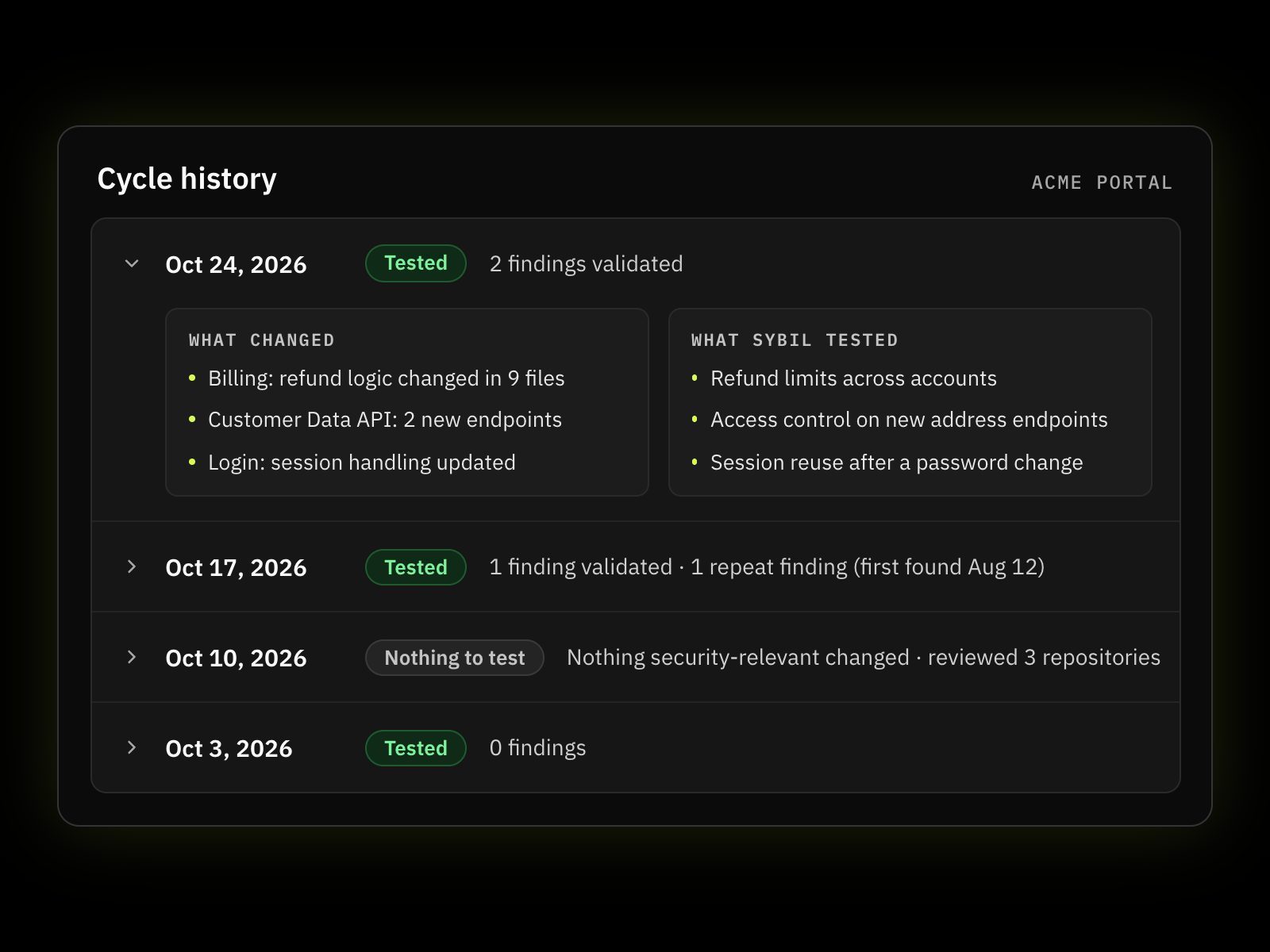
Each schedule keeps a record of what happened every time it fired.
CREATED
A test was successfully created and started.
SKIPPED
No test was needed—for example, because a Change Test found no relevant changes.
FAILED
Something prevented the test from running, with the reason recorded.
PENDING
The scheduled run is still being processed.
Faq

Frequently Asked Questions

What is continuous security testing?

Continuous security testing is the practice of automatically running tests on an ongoing basis rather than relying only on manually initiated testing. RunSybil applies this to application security with recurring Full Tests and Change Tests that check what has changed before determining whether another test is needed.

No. Continuous scanning repeatedly checks for potential vulnerabilities. Continuous security testing goes further by actively testing the application and validating findings. Sybil is built to produce validated security findings rather than another queue of scanner alerts.

Traditional penetration tests usually happen at a specific point in time. Continuous penetration testing makes that testing recurring. Sybil automates the testing process so teams can run penetration tests repeatedly without coordinating a new manual engagement each time.

At the scheduled time, Sybil checks the connected repository and branch for changes since its previous baseline. It reads the diff, identifies security-relevant changes, and creates a test when those changes warrant testing. If nothing relevant changed, the run can be skipped.

Continuous tests can currently be scheduled daily, weekly, or monthly. Each schedule can also specify a time and timezone. Teams can use Run now when they want an additional test outside the normal cadence.

Yes. A schedule can be paused without deleting it. When you're ready to resume continuous testing, you can enable the existing schedule again without rebuilding its configuration.

For a Change Test, Sybil can skip the test when it doesn't identify relevant changes to investigate. The run is still recorded in the schedule history, so your team can see that the scheduled check occurred and why no test was created.

Yes. RunSybil's Continuous Testing dashboard shows testing activity across applications, including completed tests, upcoming scheduled runs, and gaps in testing coverage.

Let's scope what black box or white box would find in your last release.

Bring us the app. We'll tell you honestly whether black box, white box, or both is the right way to test it — then run it in days, not quarters.