

Read the Code, Prove the Risk: An Inside Look at Sybil’s Signals and Directions


Sybil can already read your source code while it runs evaluations. Now it can also analyze your repository before testing starts, turning the results into Signals that guide its agents.
More security teams are pointing coding agents at their repositories, and those agents return long lists of possible issues. Naturally, teams want to know how those results compare with what Sybil reports. It comes down to the gap between potential risk and proven exploitability. Coding agents show where a problem might be, but only testing the running application shows whether it’s reachable and exploitable.
Closing that gap not only saves teams time and money, but also lets organizations secure their attack surface faster.
Here’s an inside look at two capabilities that take this even further. We’re launching Signals, which turn source code analysis into leads for Sybil to test, and Directions, which let your team steer a test while it runs. We’ll also go over our new Observations tab. Together, they give teams more control over where Sybil focuses, making every run more effective.
Signals: Source Code Guides Sybil Where to Look
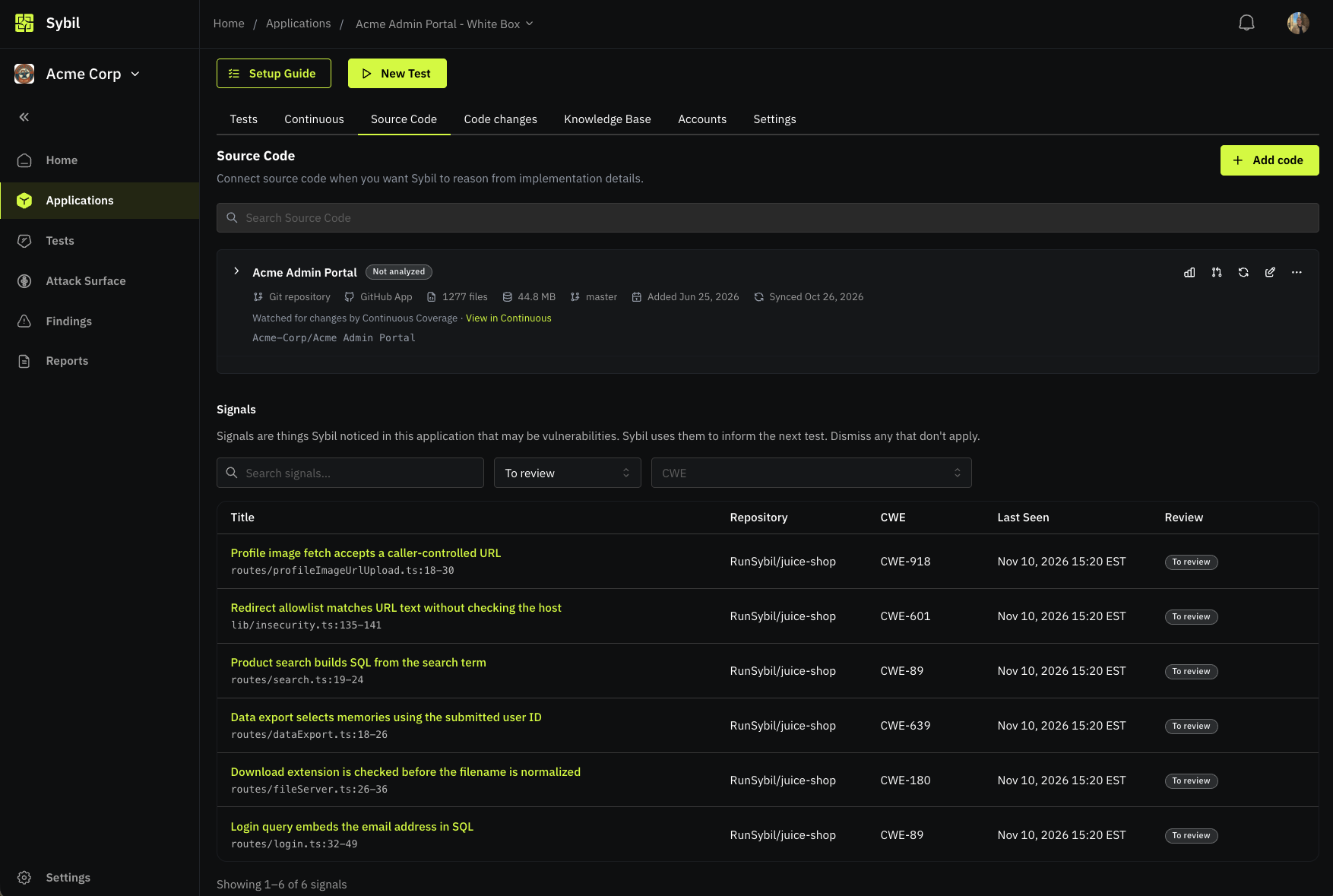
Sybil, with customer authorization, has always used source code access for white-box testing. Now, before Sybil’s first test, an agent (like Claude Code or Codex) runs source code analysis on your repository, either automatically or during a review by RunSybil’s security team.
Each lead found becomes a Signal, which names an entry point, explains how to test it, and notes the least privilege needed to reach it. Each Signal also cites the relevant code, with a severity and confidence rating. Duplicate Signals from the same repository get merged.
When a test starts, Sybil groups the application’s Signals into themes. The planning agent uses them to decide where to dig further, and can open new lines of testing based on them. Signals also can be sent to a test that’s already running.
To be clear, Signals are leads, not Findings. They haven’t been proven yet. An issue becomes a Finding only after Sybil reproduces it against your running application. Your Findings stay validated, and your testing gains the coverage of source code analysis.
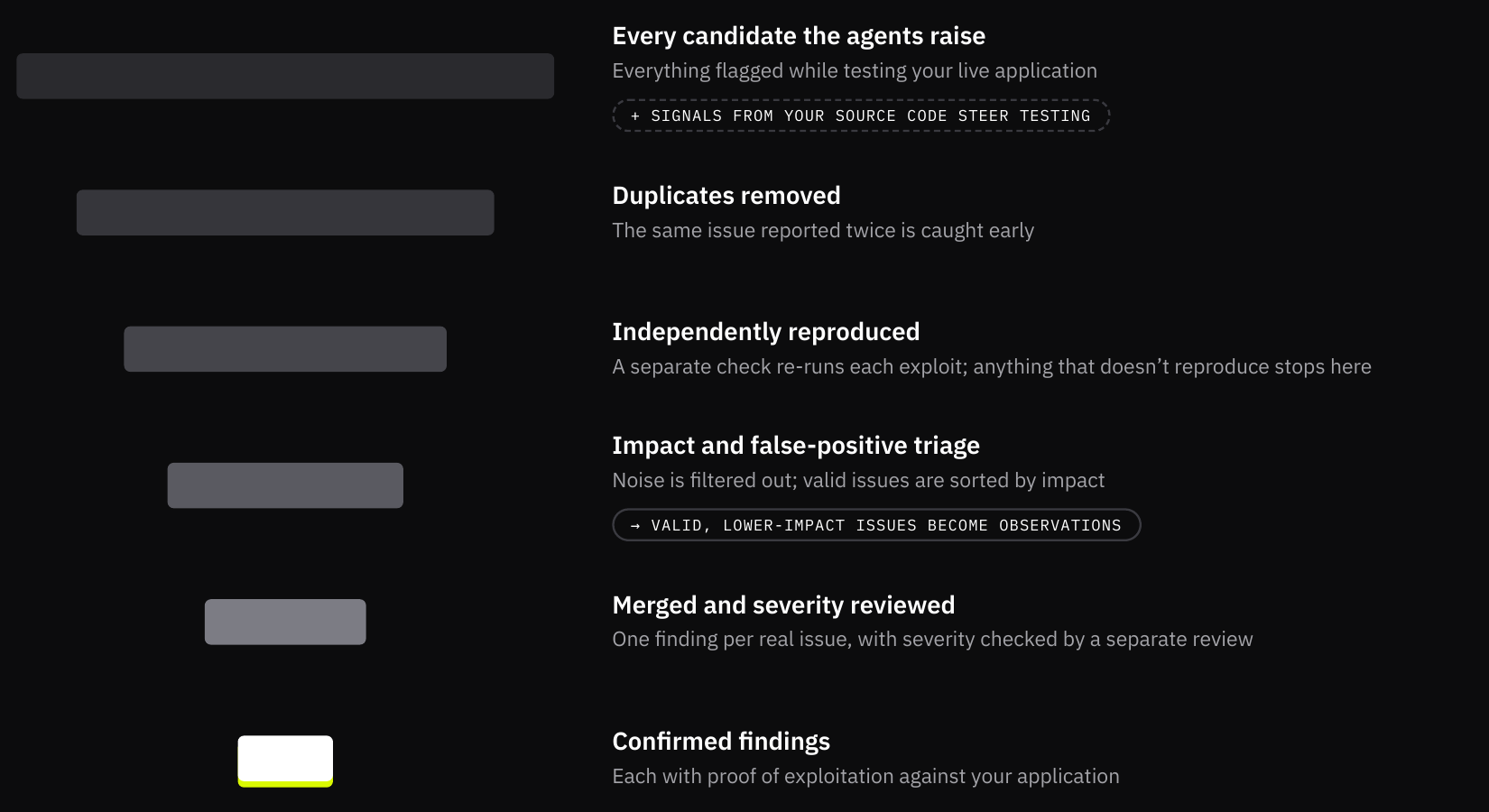
Signals aren’t the only addition. A new Observations tab is created with every evaluation, listing behaviors Sybil reproduced but rated as having low security impact. These used to be filtered out but are now available for teams that want to get the full picture.
Directions: Steer a Test While It Runs
Security teams usually know where their risks live. Maybe they are most concerned about a new billing service, a reworked permissions model, or a class of bug that keeps coming back. Directions, another new Sybil feature, let them point Sybil there.
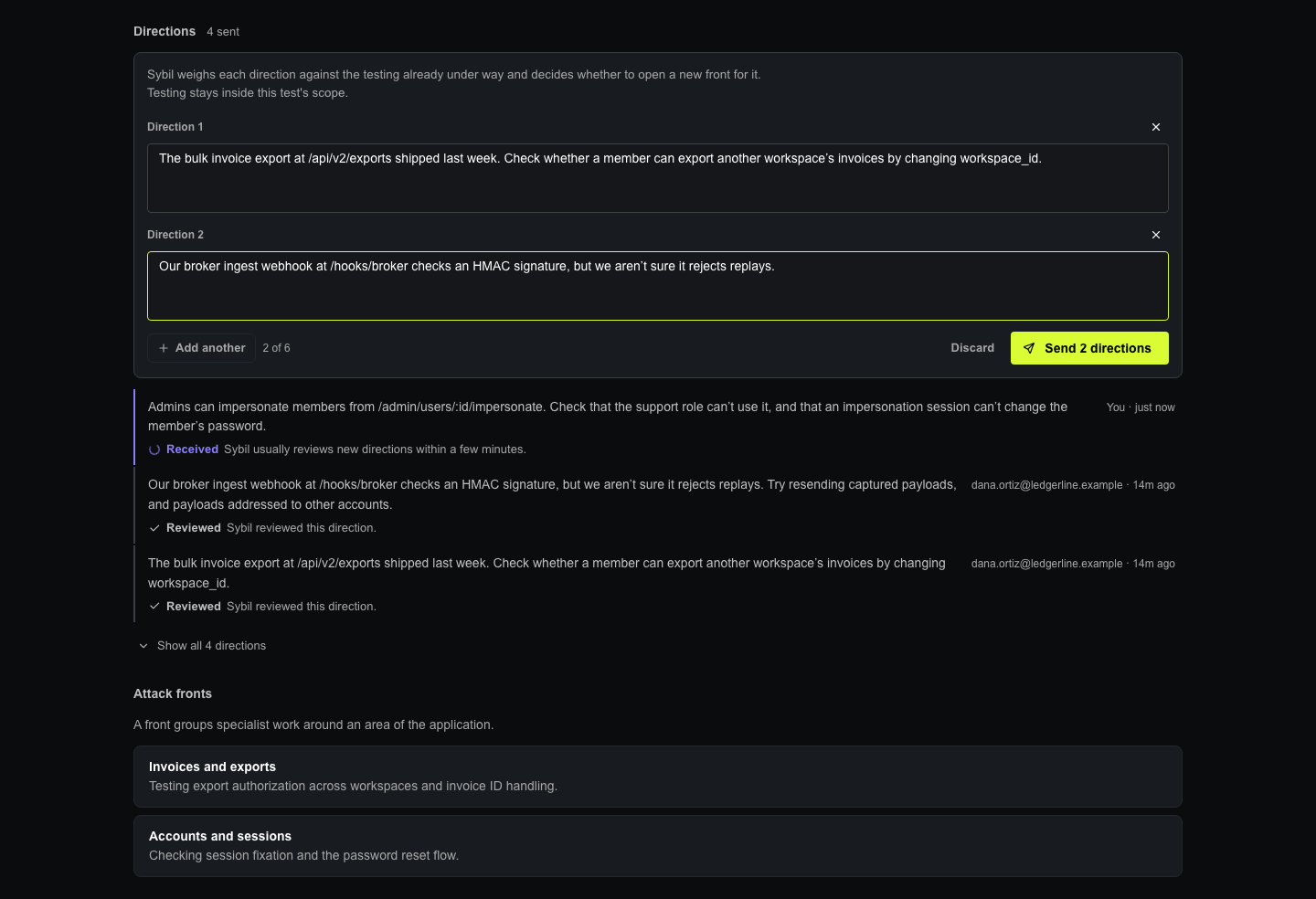
While a test is running, your team can submit up to six instructions, like “focus on authorization in the billing API.” Sybil’s planning agent reviews each instruction and launches a new testing path unless one is already covering that area.
On the test’s Attack Fronts tab, each Direction shows who sent it, when it was sent, and its status: Received, Reviewed, or Not delivered. Your team gets a clear record of what was asked mid-run and whether Sybil reviewed it.
Where This Goes
Source code and the running application each tell part of the story. The code shows where to look, while the running application shows what’s real. Your team can point Sybil at what matters most. That is intelligent coverage in practice.
Guided by customer feedback, RunSybil will keep refining how Signals are generated and how Directions shape a test. The measure of a security tool is not how many possible issues it can list, but how many of them turn out to be real.



Subscribe to RunSybil Blog
A weekly newsletter covering stories, techniques, guides and the latest product innovations coming.